US Shopping Tutorial
This tutorial uses Amazon US shopping as an example
Register Amazon Account
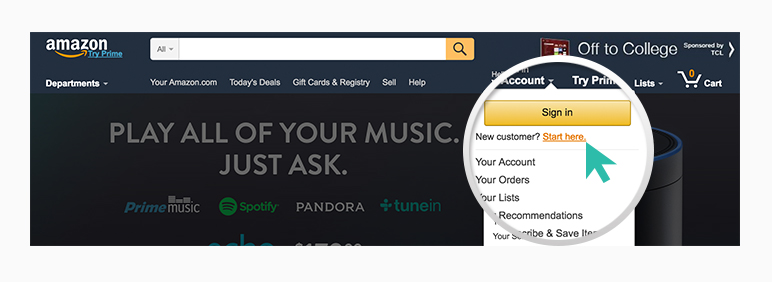
1) Go to https://www.amazon.com and register as a new customer
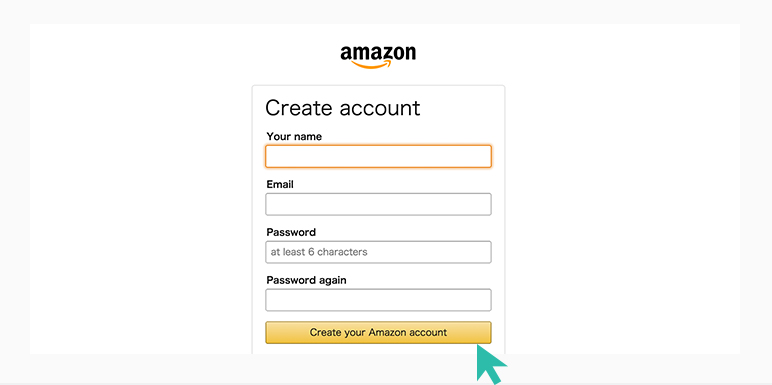
2) Fill in registration info and complete account creation
Shop & Place Order
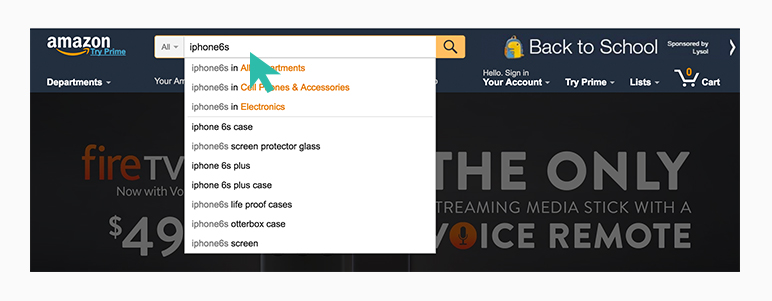
Enter product name in search box and search
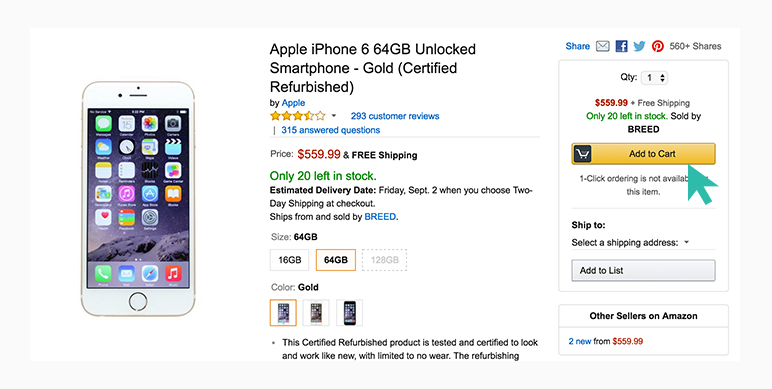
Select Quantity & Service
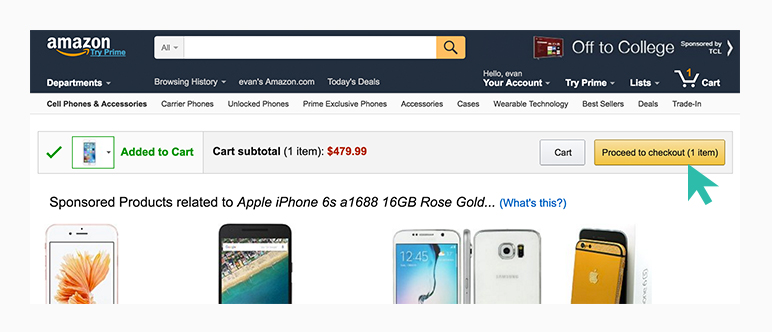
Proceed to Checkout
Go to cart and click check out
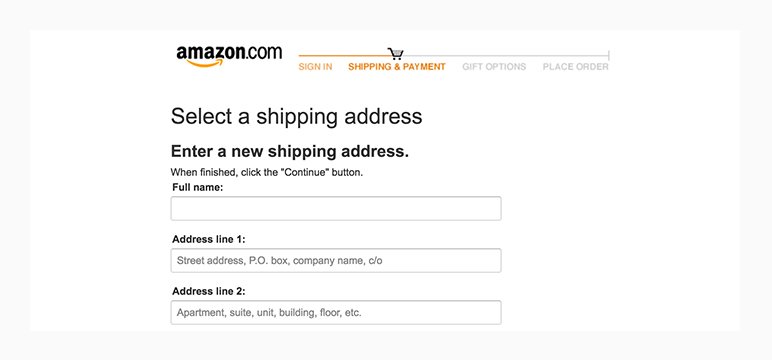
Enter Shipping Address
Fill in your exclusive BUYUP US warehouse address
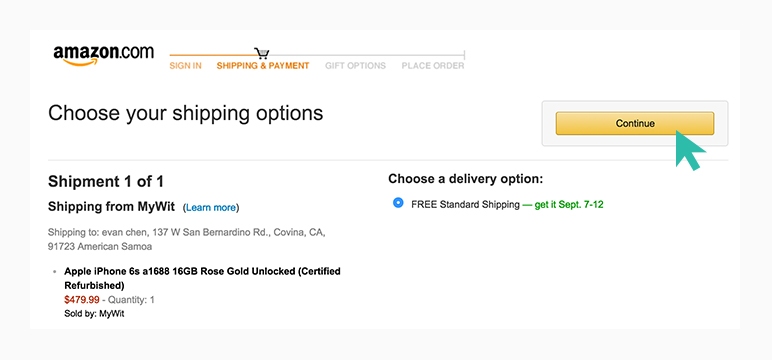
Enter Shipping Address
Click [continue] to next step
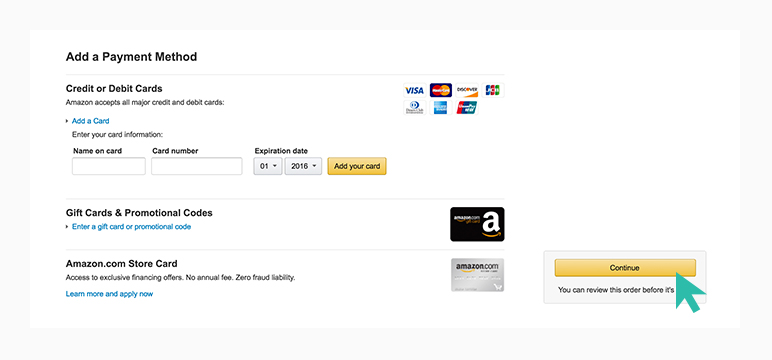
Enter Credit Card Info
Fill your credit card details and click continue
Billing Address
Fill in your credit card billing address
Review Order
Check items, quantity, address, shipping & payment. Click place your order
Order Placed
You can view your order in Your Orders